WOPET CA10 Support: Manual, Setup & Help
Read CA10 user manual online · All user manuals
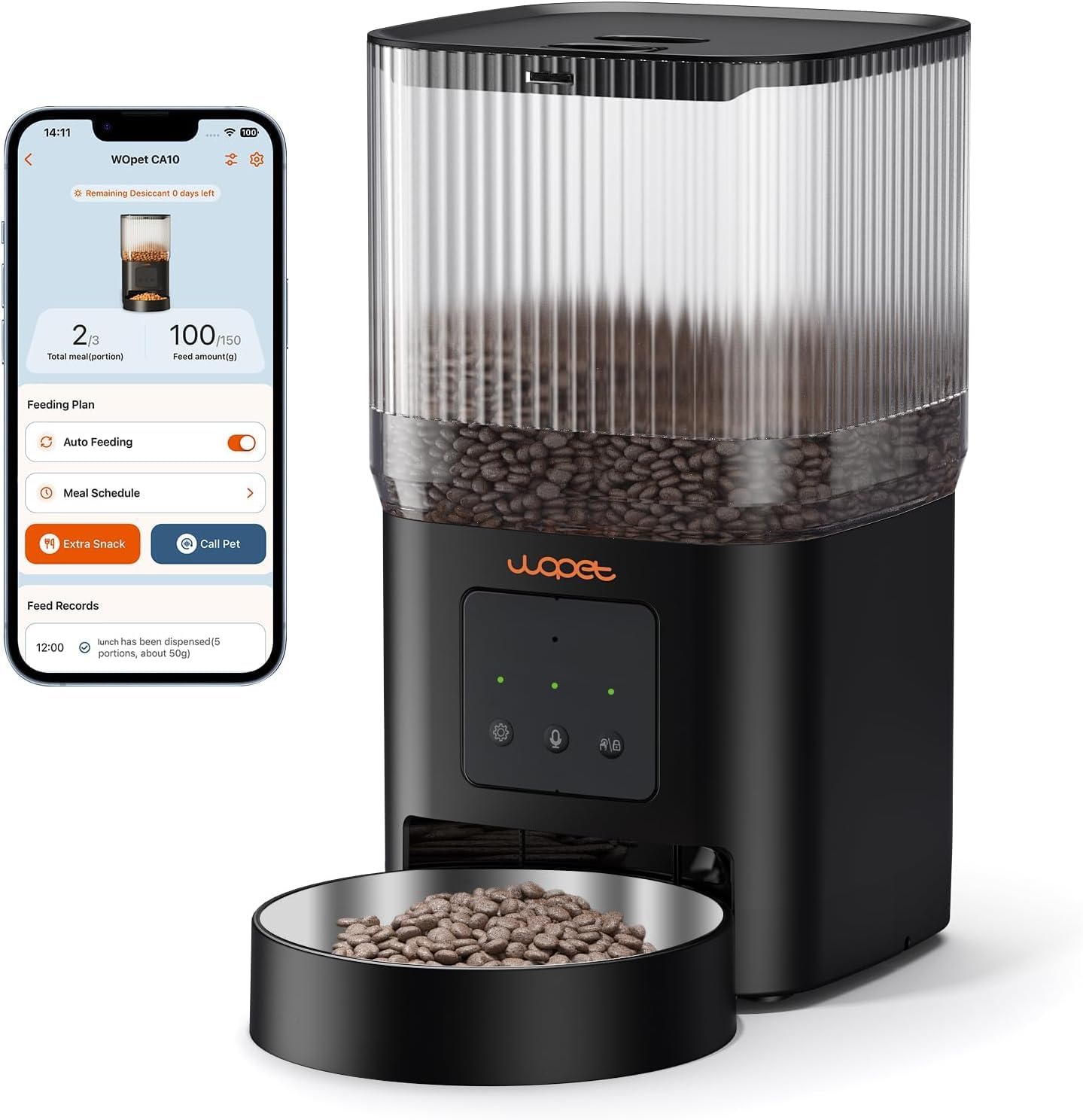
CA10 product support
Cube Air 10 · 4L smart automatic feeder
CA10, also called Cube Air 10, is a 4L automatic dry-food feeder with app-controlled scheduling. Match the CA10 label to its own manual before configuring the app, controls or backup power.
Identify your product
| Item | Model information |
|---|---|
| Capacity | 4L |
| Model name | CA10 / Cube Air 10 |
| Food type in the manual | Dry food; check the specified kibble size |
Check the label on the underside or rear of the unit with power disconnected where needed. Keep the model, order number and a photo of the controls handy when requesting parts or help.
Manuals & downloads
Open the manufacturer-hosted PDF below. Check the model on the cover against the label on your product before following instructions.
Keep the instructions supplied with your product. If the controls, power arrangement or parts differ from this PDF, contact support to confirm the correct revision.
Setup & feeding checks
Seat the hopper and bowl using the manual’s locking and assembly instructions. Keep the motor base dry. Use only the dry-food size specified for your version, and verify actual portion weight with your own kibble before relying on a daily schedule.
A useful check for this model
After a power interruption, inspect the clock, meal schedule and portion settings and observe the next test meal. Backup behavior has limits and may vary by revision; do not assume all data or connected features remain available indefinitely.
Keep a separate feeding arrangement until normal delivery is confirmed. Disconnect power and follow the manual before accessing removable parts. Never put fingers or tools into a powered dispensing mechanism.
Replacement parts & technical support
For filters, bowls, adapters or other replacement parts, confirm both the model and the exact component before ordering. Similar-looking parts are not proof of compatibility. Ask technical support about this model and include the label photo, order details and a clear description of the issue.
Return to this product listing · View your account & orders
Related articles
Read these next for practical help with your setup:
- Automatic Pet Feeder First Setup: A Practical Checklist — Identify the model, measure portions and verify a scheduled meal.
- Automatic Pet Feeder Not Dispensing Food: Safe Checks — Check power, schedules, food and visible obstructions safely.
- WOPET Feeder Wi-Fi Connection: Before You Reset — Check the correct app, network band and model-specific pairing procedure.