WOPET W600 Pro Support: Manual, Setup & Help
Read W600 Pro user manual online · All user manuals
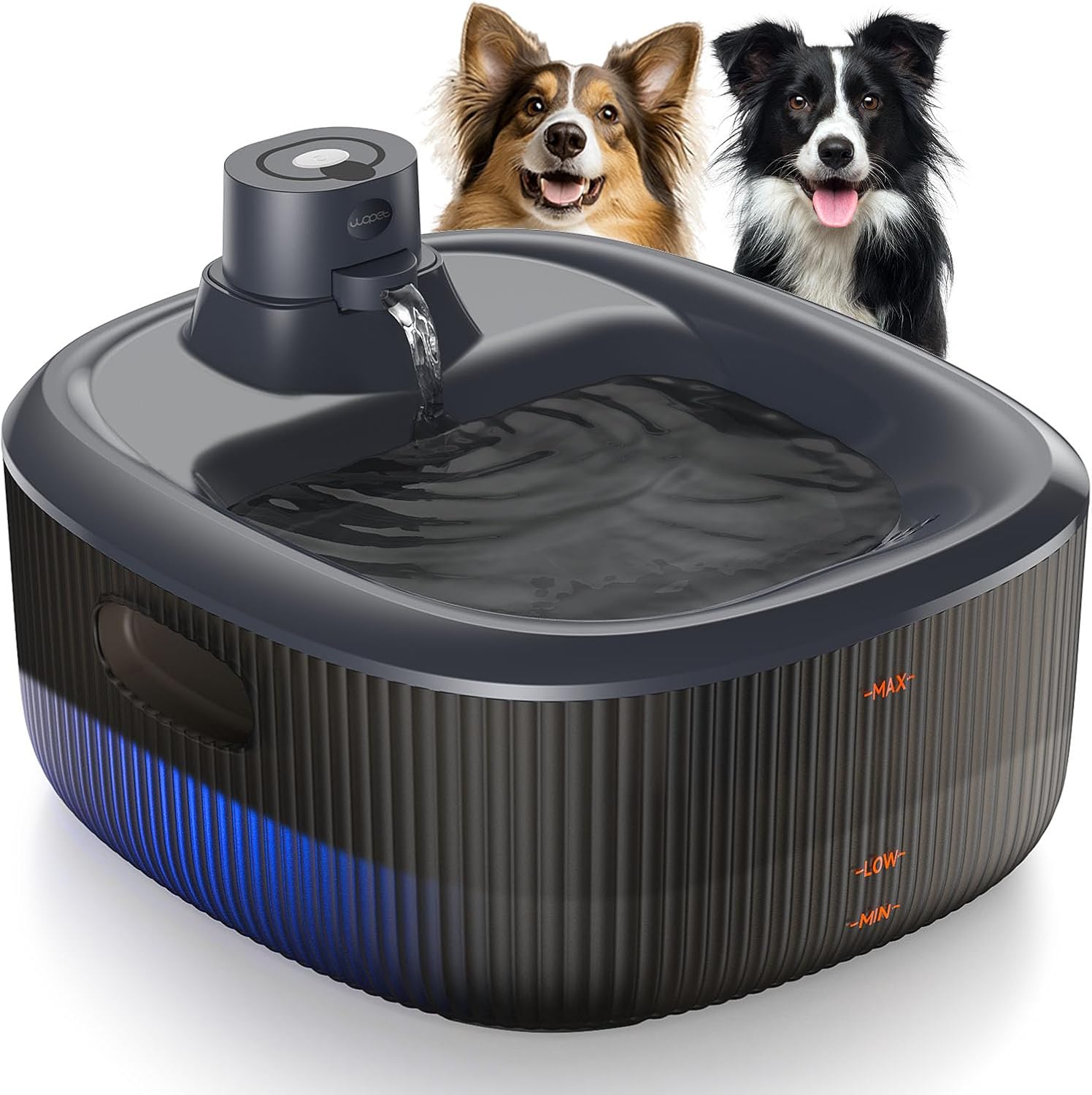
W600 Pro product support
Cordless 6L fountain with a rechargeable power setup
W600 Pro is a cordless 6L pet fountain intended for flexible indoor placement. Its rechargeable power arrangement differs from the standard W600; setup, charging and care must follow the instructions for the Pro hardware version.
Identify your product
| Item | Model information |
|---|---|
| Capacity | 6L |
| Power setup | Cordless / rechargeable |
| Identify your version | Confirm W600 Pro on the label; standard W600 instructions may differ |
Check the label on the underside or rear of the unit with power disconnected where needed. Keep the model, order number and a photo of the controls handy when requesting parts or help.
Manuals & downloads
Open the W600 Pro operating manual below for setup, operation and maintenance instructions.
Keep the instructions supplied with your product. If your unit’s controls or parts differ from the document, contact technical support with a photo of the model label to confirm the correct revision.
Setup & daily care
Use the charging equipment specified for your unit and keep charging connections dry. Check charge state, selected operating mode and water level when output seems intermittent. Do not assume that every cordless operating mode produces continuous flow.
A useful check for this model
If water output stops, confirm the selected mode and battery status before assuming a fault. Never charge wet electrical parts or open the battery housing. Runtime varies with mode and use; this page does not promise a fixed number of days per charge.
Keep another suitable source of fresh water available while troubleshooting. Do not operate below the marked minimum water level, and do not open sealed electrical or battery components. General articles below supplement the model manual; they do not replace it.
Replacement parts & technical support
For filters, bowls, adapters or other replacement parts, confirm both the model and the exact component before ordering. Similar-looking parts are not proof of compatibility. Ask technical support about this model and include the label photo, order details and a clear description of the issue.
Return to this product listing · View your account & orders
Related articles
Read these next for practical help with your setup:
- Wired vs. cordless cat water fountains — Understand placement, charging and daily checks for each power setup.
- Pet water fountain not flowing? — Start with safe checks for power, mode, water level and permitted assembly.
- Choosing fountain capacity for a multi-pet home — Plan capacity, access and daily water checks for more than one pet.